Update, 2026: ManiShelf is now on iPhone and iPad too, not just Mac — with optional private iCloud sync to keep your shelf in step across your devices, and it’s free now, with an optional tip. The essay below is the original story of why I first built it for the Mac; I’ve left it as it was.
If you have searched for an anime tracker, a manga tracker, a manhwa tracker app, or a light novel tracker, you already know the shape of the problem. There is no single app that handles all of it well. There is an anime list, a manga list, a webtoon list, and a light novel list, and they live in different tabs, different databases, and usually different phones. I spent years stitching the gaps closed with spreadsheets and browser extensions. This post is about why I gave up and built ManiShelf, an all-in-one tracker for Mac, iPhone, and iPad.
I want to be honest up front: I am writing about my own app. I built it because nothing else did what I needed. If you are happy with what you have, that is a real answer too. But if you have ever finished a chapter and had to open three apps and a spreadsheet to log it, this post is for you.
The thing that finally pushed me was manhwa. I had been an anime and manga reader for years, and then I fell into Korean webtoons, and within a few months my favourite titles were spread across Lezhin, Manta, Tapas, WEBTOON, Tappytoon, and a couple of unofficial readers I am not going to link. I wanted one place that knew what I had read, where I had read it, and what was coming next. There was no such place.
What an anime and manga tracker actually does
A real tracker remembers what you have started, where you stopped, and sorts every title into a bookmark: watching, planning, completed, on hold, dropped. It also tells you when a new episode or chapter drops. MyAnimeList and AniList do send release alerts, but only inside the browser tab while the site is open. ManiShelf is a native app, so the release calendar and per-title notifications live inside the app itself, on the airing time or on the schedule you set. That is the difference between a list you maintain and a tracker that works for you.
That is the whole product. Everything else (recommendations, social feeds, year-end stats, custom tags) is a layer on top. The reason there are so many trackers is that the core jobs are simple. The reason most of them feel bad is that the data underneath, especially for anything outside Japanese anime and manga, is messy.
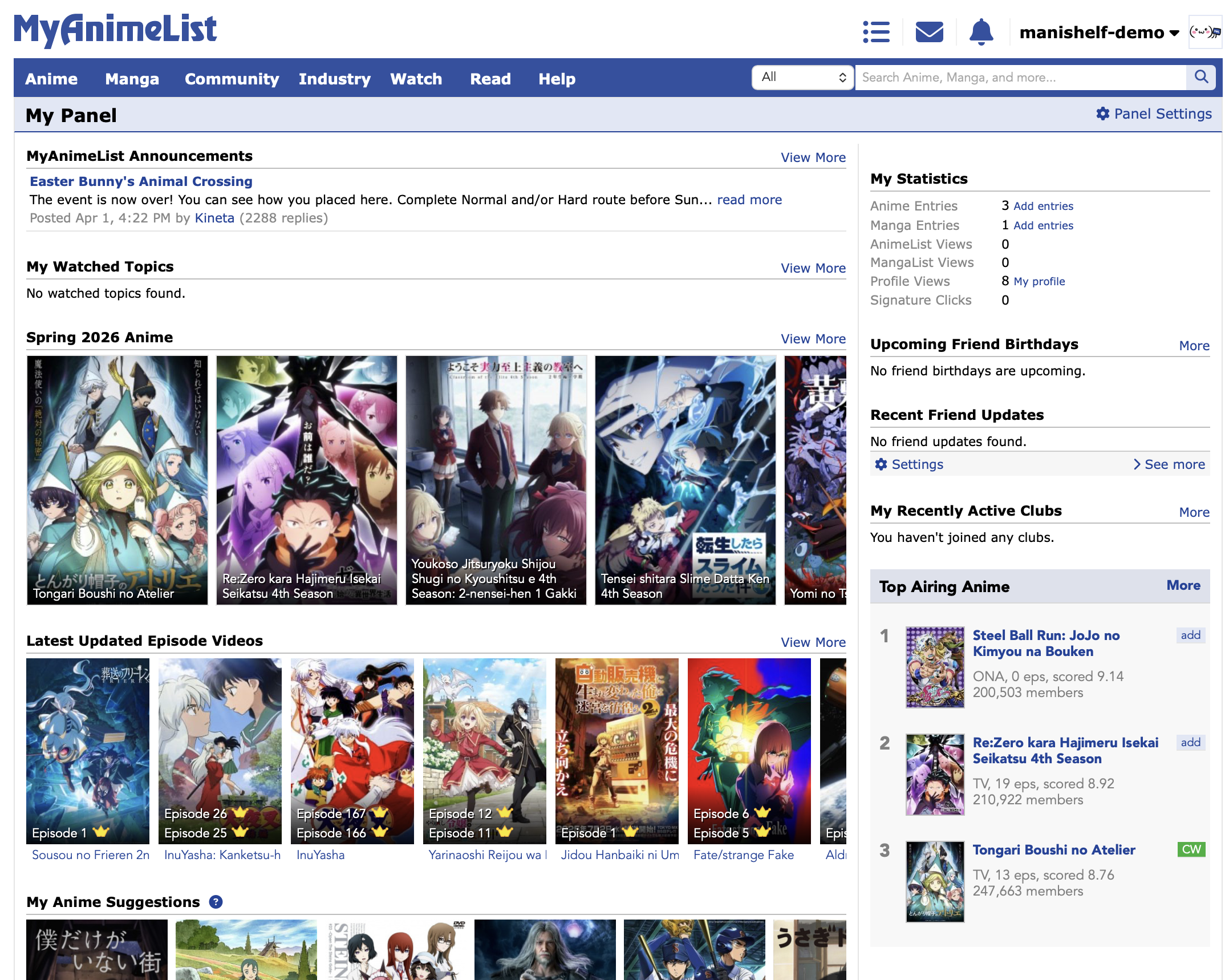
My MyAnimeList and AniList years
I started, like a lot of people, on MyAnimeList. MAL is the oldest anime database on the web, and the journal-style list it pioneered (planning, watching, completed, on hold, dropped) is the template every other tracker copies. The interface looks like 2007 because it more or less is. People stay because their list is there. I stayed for the same reason.
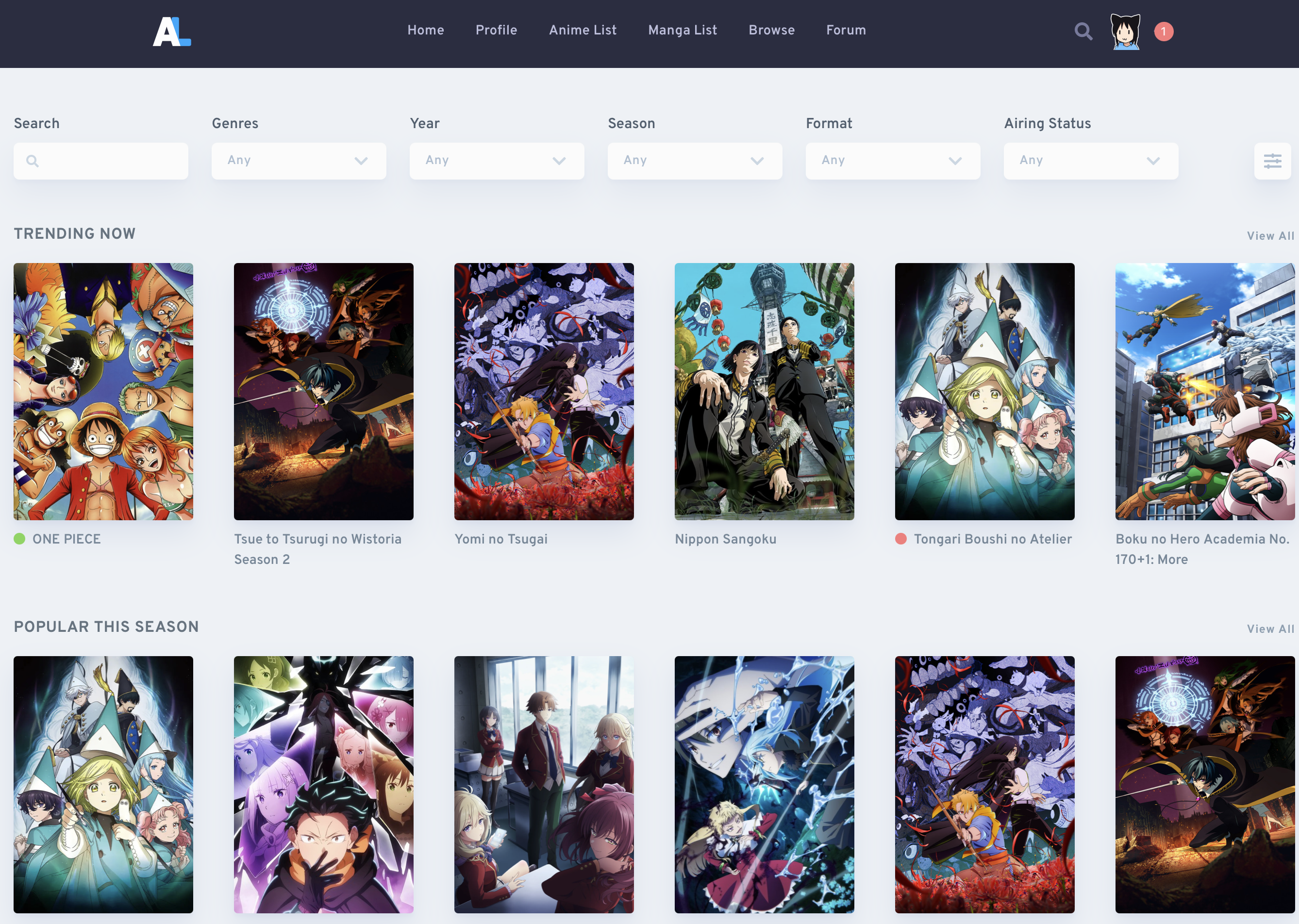
After a while I migrated to AniList, which is a faster and prettier MAL with better social features and a public GraphQL API.
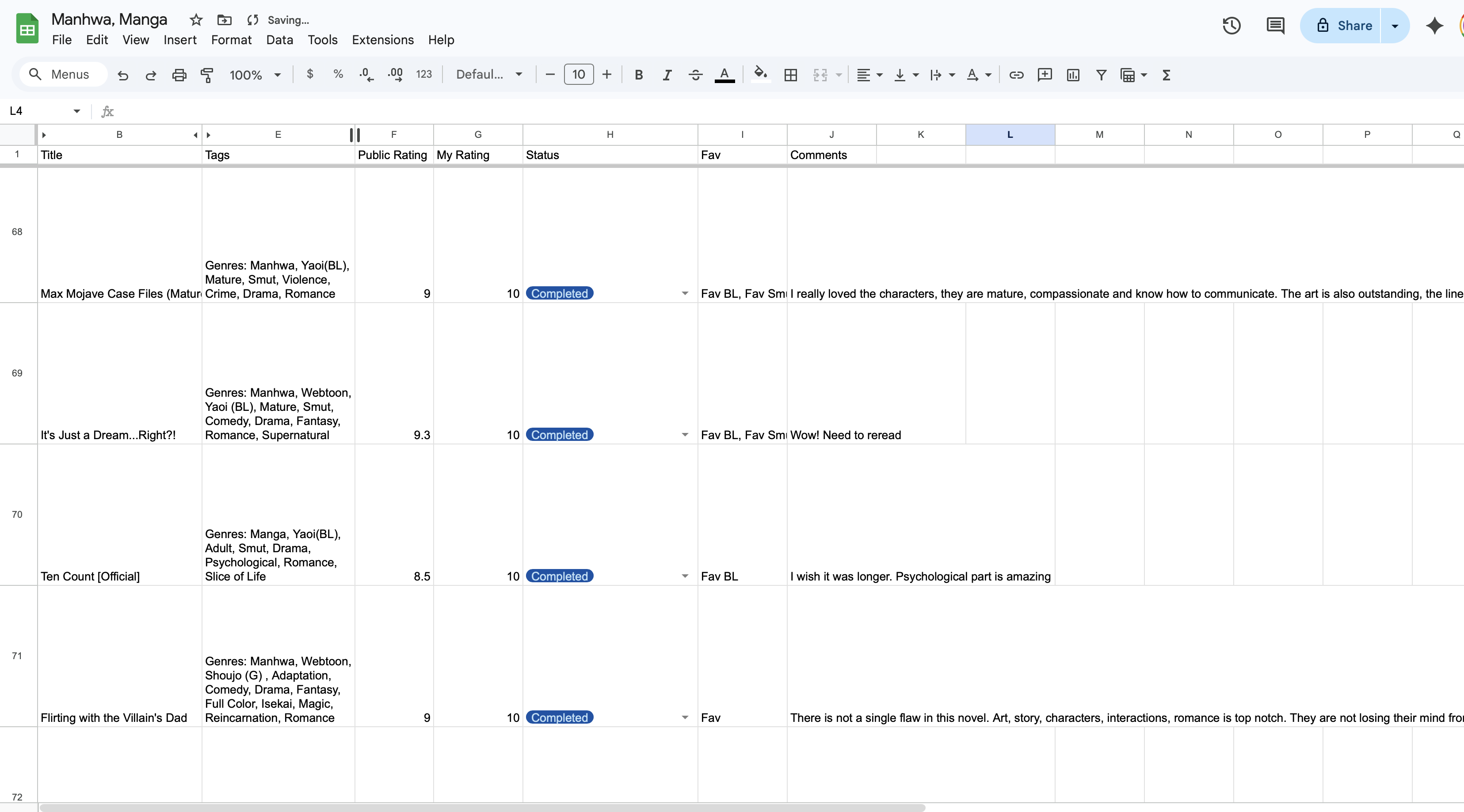
I tried browser extensions like MAL-Sync to keep the two in sync while I read on Crunchyroll or watched on a streaming site. I had a spreadsheet for Manhwa and Manhua where every title lived on a different site and the only honest way to track what I was reading was a row in a sheet with a status column and a hyperlink. I had a Notion page for light novels.
The MyAnimeList alternative search is its own genre at this point. People want a cleaner UI. They want export their library. They want a release calendar that does not require a third-party tool. They want manhwa and manhua to be first-class citizens, not search results that mostly return the Japanese remake. AniList covers a lot of that for anime and manga. It does not cover the rest.
The gap: nobody tracks all of it in one place
Here is the part of the search nobody answers cleanly. Once you read one Korean webtoon or one Chinese manhua, your tracker falls apart. AniList lists manhwa as a manga subtype with patchy metadata. MyAnimeList barely indexes them. The dedicated manhwa tracker apps do exist (a couple of iOS apps, one or two community sites), but they do not track anime, and they do not track light novels, and they do not track the manhua you read on Bilibili. Light novels are the worst case: most of the time you are pasting an English title into a Japanese-only database and hoping it matches.
So if you read across formats (and most people I know who read manhwa also watch anime, also read manga, also keep a small light-novel pile), you end up doing what I did. One list per format. One app per device. A spreadsheet to pretend it is all connected.
The all-in-one anime and manga tracker is the obvious product. The reason it does not exist on most platforms is that the underlying metadata sources are different. Anime is well covered by AniList and MAL. Manga is well covered by AniList and MangaUpdates. Manhwa is best on MangaUpdates. Manhua is patchy across all of them. Light novels are wherever the publisher decided to list them. Stitching those sources together is annoying engineering, not interesting engineering, which is probably why the big trackers have not bothered.
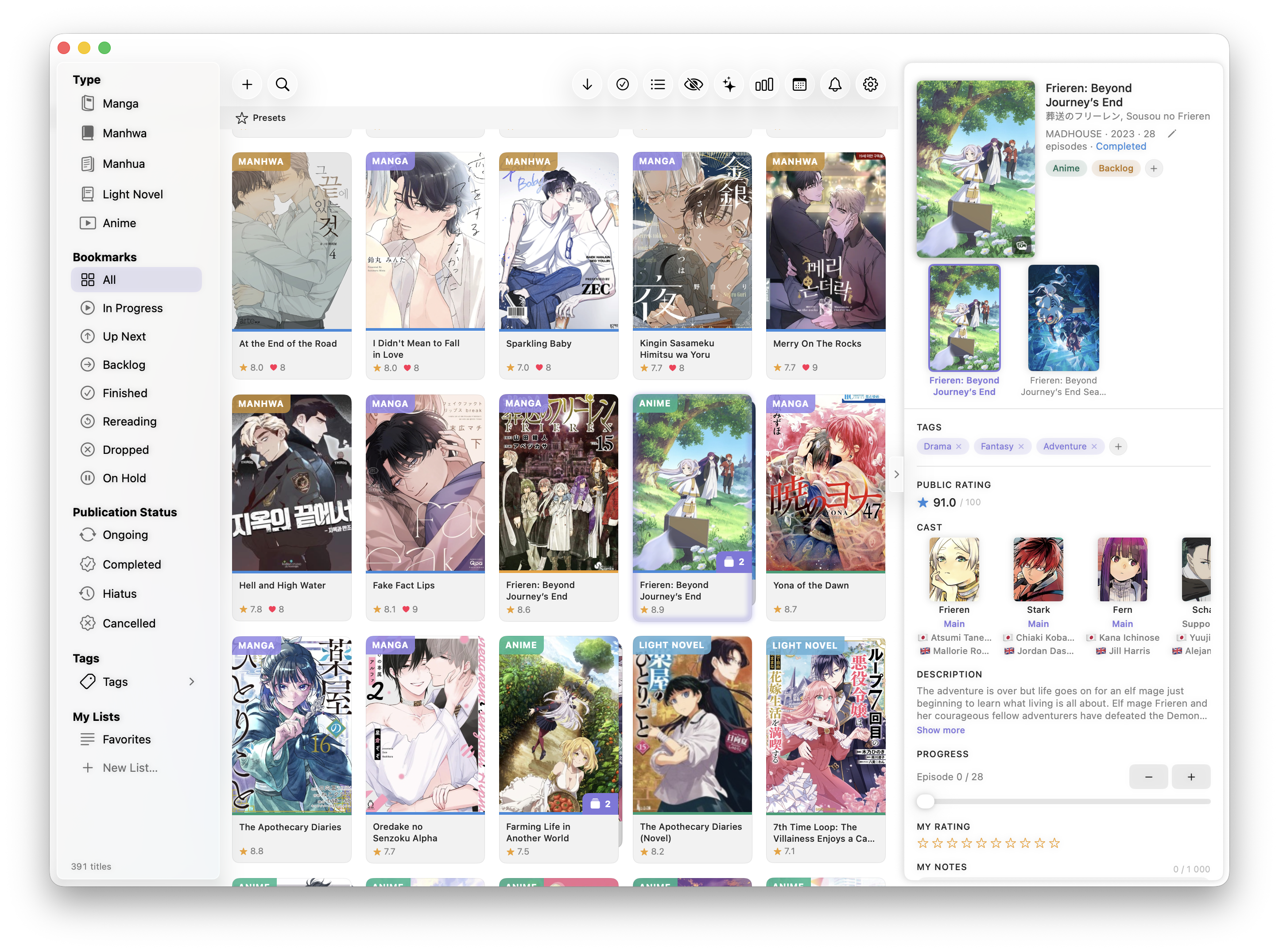
So I built it. Anime, manga, manhwa, manhua, and light novels in one shelf, with cover art, scores, tags, and a release calendar that knows about all of them.
The push, honestly, was the manhwa side. As far as I can tell, ManiShelf is the only app on the market where you can save manhwa to a real library and follow releases the same way you would for an anime or a manga. Every other tracker either ignores webtoons or lists them in a way that does not let you actually keep them, set a schedule, and get notified. I was tired of opening a spreadsheet, then opening Lezhin, then opening Manta, then opening WEBTOON, just to check whether anything new had dropped. I wanted one place. My library in ManiShelf is over 390 titles now, across all five formats. I love seeing the covers lined up, and I open the app to relive the joy of reading my favourite titles for the first time, check my notes, and choose the next obsession.
Why I built it for Mac first
Almost every tracker app you can find is iOS-first. There are good reasons for that: people use their phones in bed, on the train, between episodes. But there are bad reasons too. iOS apps are easier to monetize, easier to ship, and easier to discover, so that is where the apps go. The result is that desktop and especially macOS users have basically two real options, and neither of them tracks all five formats well.
I read on a MacBook Air or an iPad, with the reader on one side and my list on the other. I want a release calendar I can glance at without unlocking my phone, and I want my library to live on my computer the way my photos and notes already do, not inside a profile on a website I do not control. ManiShelf started as a macOS app because that is the workflow I wanted, and because building a real native macOS app (menu bar, notifications, keyboard shortcuts) felt like the honest answer.
If you are looking for a manhwa tracker on Mac, an anime tracker on Mac, or any kind of MyAnimeList alternative that is not a website, the desktop shelf is, I think, the missing one.
What ManiShelf does differently
The pitch is short. ManiShelf does everything the iOS and macOS anime and manga trackers already do (statuses, scores, tags, progress, episode notifications, AniList and MAL import, a discover panel, year-end stats), and adds the part none of them does: a real, full-shelf, release-aware library for manhwa and manhua. It is the only tracker I know of where the Korean webtoon you are reading on Lezhin sits next to the anime you are watching this season and the light novel you are halfway through, all behaving the same way.
A few specifics that matter to me, and might matter to you:
- All five formats, one library — anime, manga, manhwa, manhua, and light novels share a single shelf. You can filter by format, but you do not have to think about it when you add something.
- Metadata from AniList and MangaUpdates — the two best databases for anime, manga, and manhwa, used together so coverage is broad instead of locked to one source.
- Import from MyAnimeList and AniList — bring the list you have already built. Your years of MAL or AniList history land in ManiShelf in one step, scores and statuses intact.
- Release notifications you can shape — instant alerts for anime episodes on their actual airing time. Custom schedules for manhwa and manhua, because most webtoons release on a weekly or biweekly cadence the metadata sources do not always know about.
- A real release calendar — a single view for everything coming this week, across formats. No extension, no second tab.
- Local, private, no account — your library lives on your device, with optional iCloud sync if you want it across devices. There is no sign-up and no analytics. If you want a backup, you export the file. That is it.
- Stats and a discover view — library stats, score distributions, completion rates, and a discover panel for finding the next thing. The layers on top, and they are nice, but the core product is everything above.
If you have used MAL or AniList, the mental model is the same: planning, reading or watching, completed, on hold, dropped, scores, tags. What is different is that the list is yours, not a profile on someone else’s server, and the formats actually live together.
So, which tracker should you use?
A short, honest matrix.
- MyAnimeList — the classic anime list. Worth knowing that leaving is not actually painful: in ManiShelf you make your MAL list public, paste your username into Settings, and we pull everything across (titles, episode and chapter counts, URLs, your scores, your statuses), so the years you put into it are not stranded. Plus you get cover art and a library that lives on your Mac, not inside an account that can disappear on someone else’s server.
- AniList — the best free web tracker in 2026 for anime and manga, with a real API and a community. Light on manhwa and manhua. Web only.
- A browser extension like MAL-Sync — keep using your existing list and let the extension auto-update progress as you watch. Solves syncing, not the format gap.
- A spreadsheet — surprisingly fine if you read across formats and only need a list. This is where I started. The reasons I left are the release calendar and the missing cover art. A row of titles with no images stops feeling like a library very fast.
- ManiShelf — an all-in-one anime, manga, manhwa, manhua, and light novel tracker for Mac, iPhone, and iPad. Local. No account. The shelf I wanted and could not find.
If you only watch finished anime once in a while, AniList on the web is fine. The moment you start following an ongoing season (or a weekly manhwa, or a manga or manhwa that releases on the 2nd, 12th, and 22nd of every month) and you want to actually know when the next episode or chapter drops without checking five sites, ManiShelf is the better answer. The release calendar and the per-title notifications are the part I would not give up. If your library also spans manhwa, manhua, or light novels and you’re on a Mac, iPhone, or iPad, check out ManiShelf, the cozy shelf I built for it. Free, private by default, the tracker I use every day.
For more on the format side of all this, I wrote a field guide to manga, manhwa, and manhua and a list of ten manhwa worth reading in 2026 if you are looking for the next thing to add to whichever tracker you land on.